Public asset verification lets somebody scan a permanent equipment QR label and confirm a limited set of current calibration facts without receiving access to your organisation's equipment record.
Before you begin
Open the intended organisation, select Organisation, then Asset verification. You need the asset-verification policy management permission to change the policy.
Public disclosure uses two controls. The organisation master switch must be enabled, and each equipment item must be opted in individually. Disabling the organisation switch immediately makes every public page unavailable without clearing the individual asset choices.
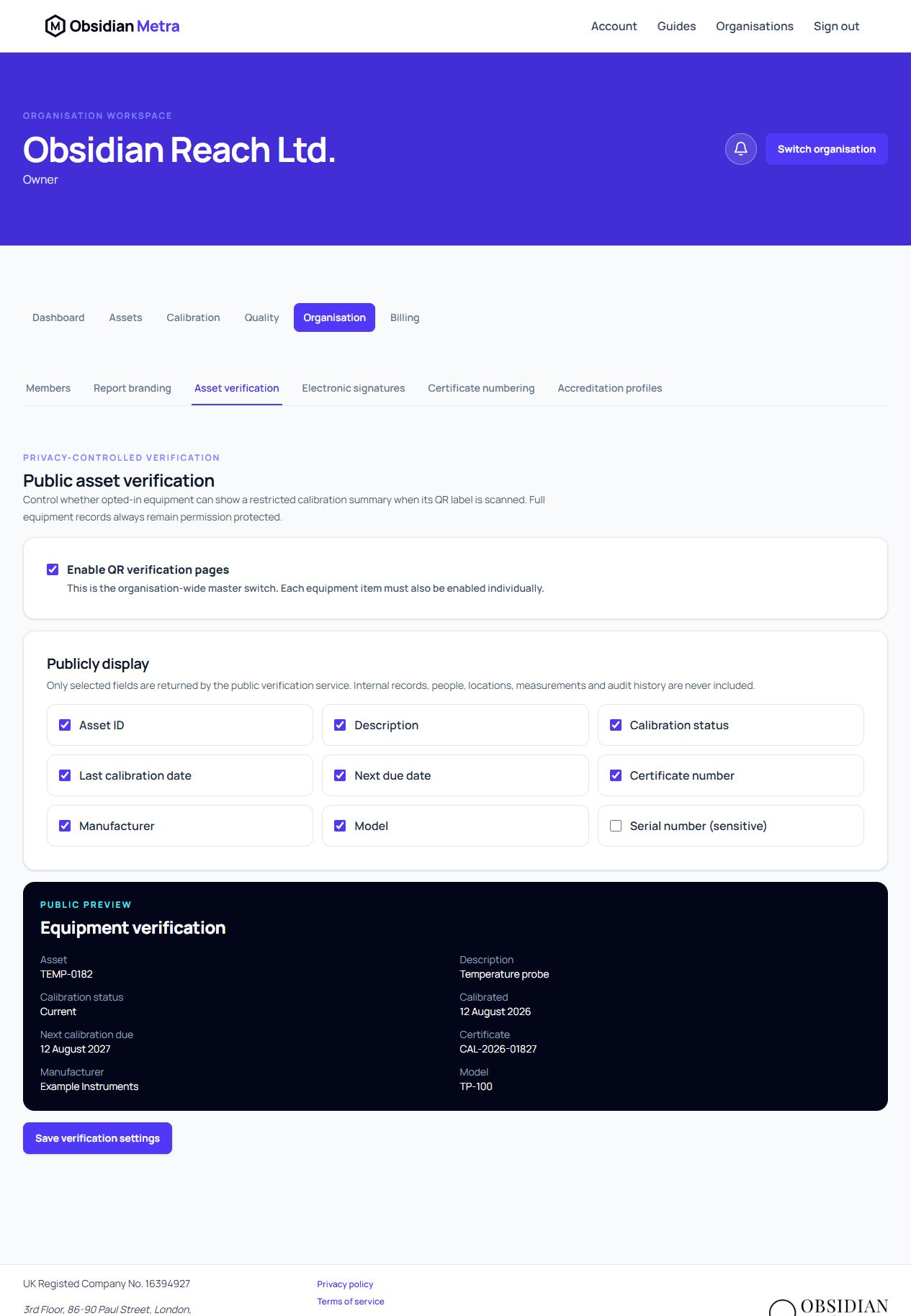
Choose public fields
The safe defaults show the asset ID, description, calibration status, last calibration date, next due date and certificate number. Manufacturer, model and serial number are optional.
Serial numbers can be commercially or operationally sensitive. Enable that field only after confirming your organisation intends to disclose it to anyone holding a QR link.
Use the Public preview beneath the field choices to check the shape of the anonymous page before saving. The preview uses example values; each live page resolves its values from the selected equipment's current approved evidence.
The public service never returns clients, sites, locations, responsible people, calibration personnel, calibration history, audit events, investigations, notes, procedures, measurements, uncertainty budgets or organisation users.
Understand the two scan experiences
An authenticated Metra member with permission to read the equipment is redirected to its complete equipment record. Everyone else receives only the restricted public page when both opt-ins are enabled. Unknown, disabled and unavailable codes use the same neutral response.
Verification confirms that the displayed information was resolved from the Metra record. It does not grant accreditation or replace qualified metrological review.