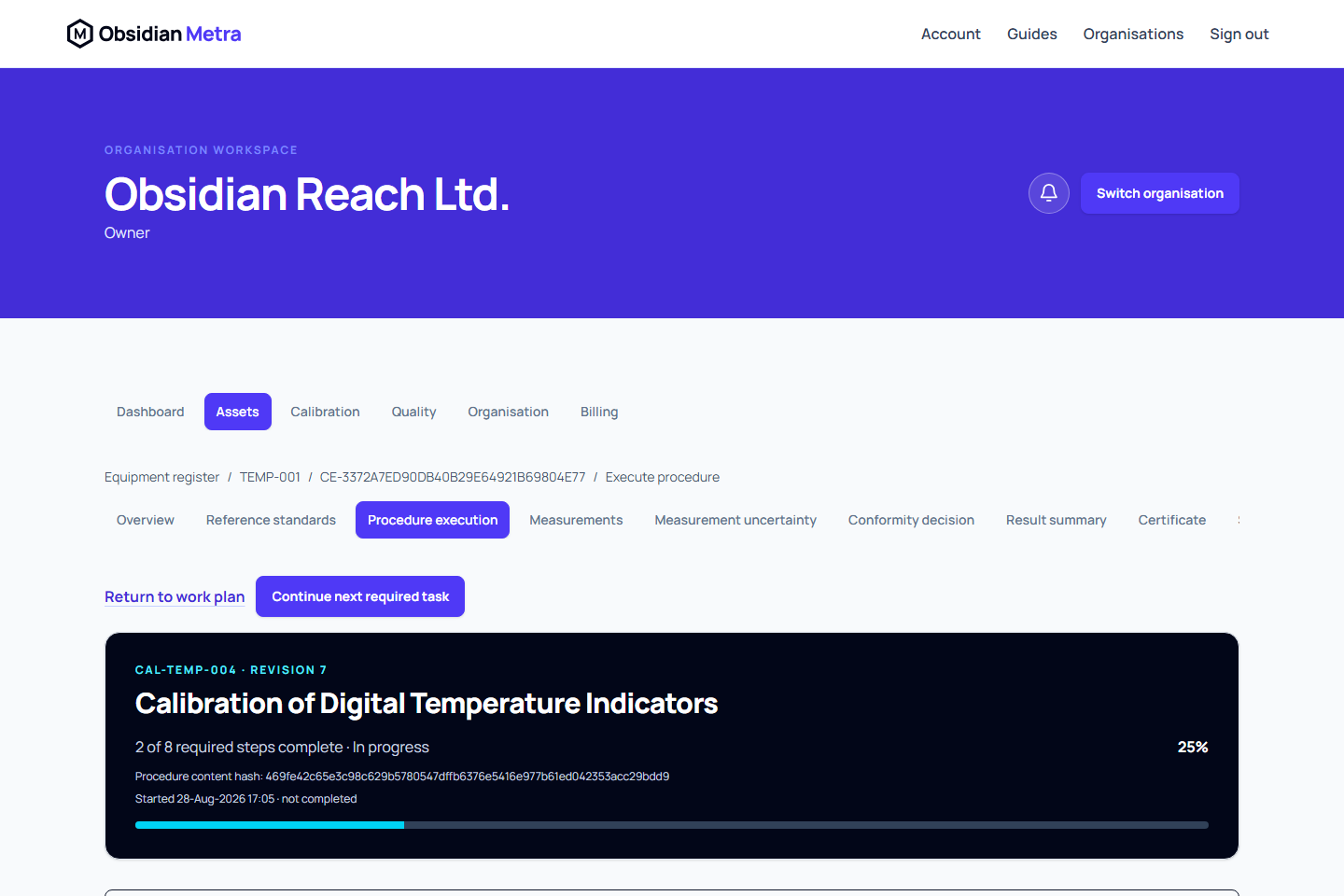
The procedure workspace runs the exact approved revision frozen onto the calibration event. It is designed for work that may continue for several hours or across more than one session.
This page describes one device's procedure. To perform approved shared operations across several devices, start from Calibrate a group of devices. Group participants still use this individual workspace for their per-device steps and completion.
Start or resume
- Open the event work plan from Calibration work.
- Select Continue calibration or Procedure execution.
- Start the execution when it has not begun.
- When saved work exists, review the resume message and continue at the first unresolved required step.
Metra shows required-step progress, previously completed steps, actors, and timestamps. Signing out does not discard completed steps; after authentication, a safe internal return path brings you back to the protected work page.
Navigate the event and its evidence
Calibration event pages remain in the Calibration area. The breadcrumb leads from Calibration work to the event work plan and then the current task. Use the separate equipment link when you need the associated asset record.
The event section menu wraps into rows on wider screens. On a small screen, use Calibration section to choose the task; it shows the section you are currently viewing. Work plan opens the event overview. The work plan and breadcrumb provide the route back, so there is no separate Return to work plan link repeating that destination.
When you open measurements or other evidence from a procedure step, Return to procedure step takes you back to that step in the same event. It is shown only for a valid procedure-step return destination. A recommended next-task link is omitted when you are already in that task; continue using its own controls.
Complete a step
- Read the controlled instruction and evidence requirements.
- Record the response and outcome.
- Use direct links for authoritative measurement, adjustment, reference-standard, uncertainty, or conformity evidence when the step requires it.
- Return to the same procedure step after completing linked evidence.
- Select Save step and continue, or Save response on the final step.
The step is committed immediately as a new fixed execution revision before the workspace advances. Unsaved changes trigger a warning if you try to leave.
Response fields and step-switch controls are unavailable while that save runs. A failed save keeps your entries; resolve the message and retry. If the execution changed elsewhere, compare the current evidence before reapplying your response. Entered text is not a saved controlled response until the save succeeds.
A failed outcome is completed captured evidence and remains distinct from an incomplete step. Required skipped or not-applicable steps need an authorised deviation where the controlled procedure permits one.
Finish execution
When all required steps and linked evidence are resolved, complete the procedure execution. Select Work plan and use its recommended action to continue with any remaining certificate, summary, or submission work.
Partially entered responses inside one step are not saved as controlled evidence. Save a step only when its response is complete.
Continue a device in a group
Open Procedure for [asset] from the session's Device overview. A step marked Shared operation directs you to Open shared group work; record that shared action in the group session. Complete this device's inspections and other per-device responses here. Use the group's Device readings grid for its supported point indications, or the linked individual evidence workspace for detailed observations.
Check Shared procedure evidence for this device to inspect the exact linked revision and attributed observations. It may differ from the group's latest revision after a correction; do not assume newer shared evidence has already been adopted by this device.
Use Previous device, Next device and Return to group to keep the task context while moving through the roster. Save before moving. Complete guided execution for each device separately, then resolve its own result summary, uncertainty, conformity and other submission blockers. Completing the procedure does not submit or approve the calibration.
Leave and resume safely
Saved execution remains online. Unsaved responses stay only in the open workspace and have no local draft recovery. Sign out offers Stay and save or Cancel before revocation when unfinished work is detected in connected tabs. Confirming discard, session expiry or loss of access can erase local entries. See Save edits and sign out safely.
Field and internal work
The actual work context is frozen when execution starts. Check the saved place, work site and transport/stabilisation evidence alongside environmental steps. See on-site controlled work.