
Owners and administrators manage certificate numbering under Organisation > Certificate numbering. Metra keeps every period used by the organisation and allows only the active period to allocate new numbers.
Choose the numbering policy
- Enter a short uppercase prefix such as
METRA. - Confirm the four-digit certificate year.
- Choose how many digits pad the sequence.
- Enter the first sequence to allocate.
- Save the policy before approving generated certificates.
The preview shows the resulting format, for example METRA-2026-002401. This starting sequence supports organisations moving to Metra part-way through an existing certificate year.
After certificate issue begins
Metra allocates the next number inside the approval transaction. Users cannot select, reuse, or silently overwrite a number. Once allocation has begun, the period's prefix, year, sequence width, and starting sequence are locked. This protects every certificate already issued from that series.
An authorised administrator may move the active next sequence forward only with a recorded reason. Skipped numbers remain explainable in the audit history.
Start a new numbering period
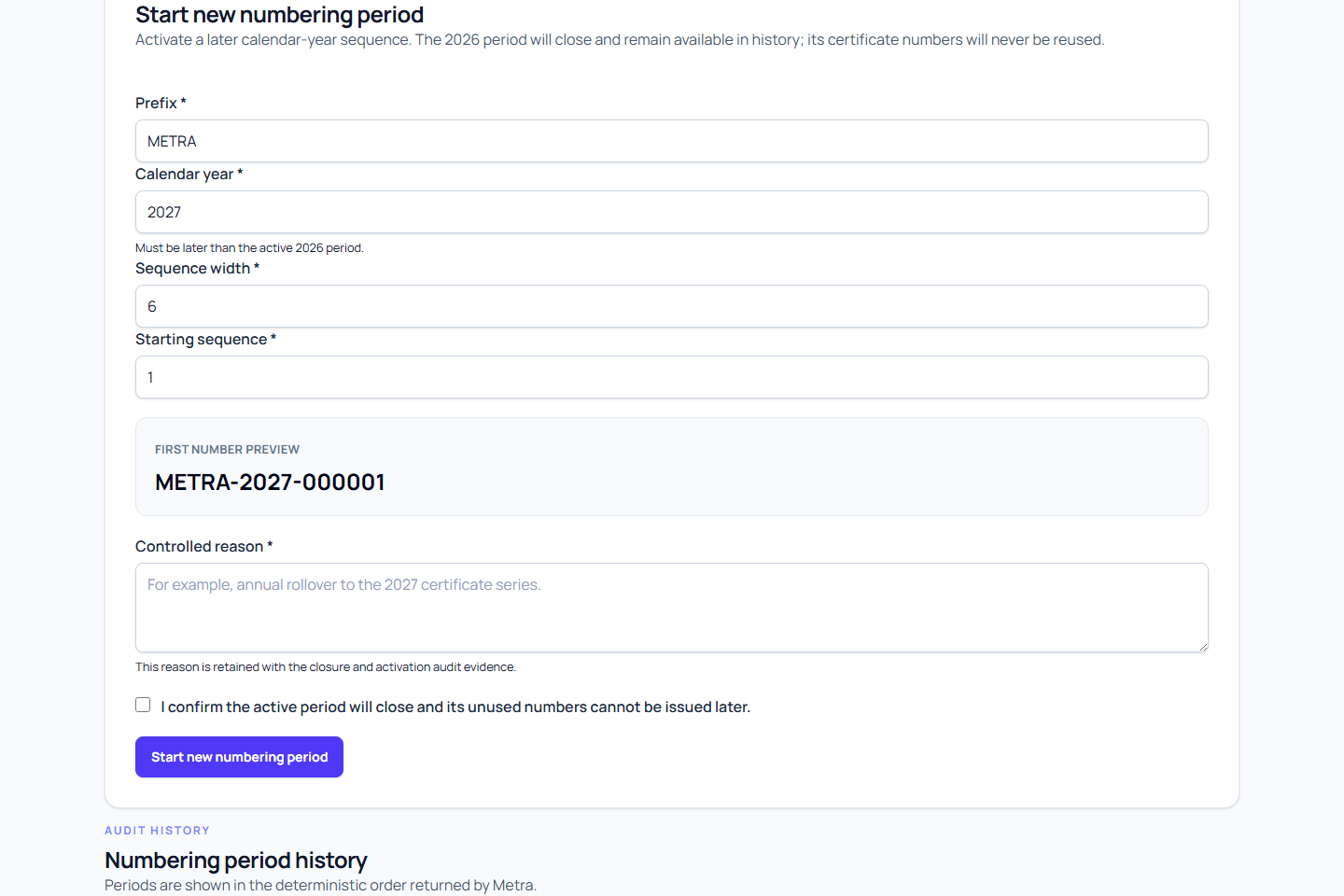
Use Start new numbering period for a calendar-year rollover instead of changing the issued series.
- Choose a year later than the active period.
- Enter the prefix and sequence width for the new period.
- Enter its first sequence number.
- Record why the new period is being activated.
- Confirm and create the period.
Metra closes the previous period and activates the new one together. Closed periods remain visible with their issued range and closure record, but they cannot allocate another number. New certificates retain the exact numbering period that supplied their number.
Review numbering history
The period history shows the active series and all closed series. Use it to explain year changes, prefixes, starting values, allocated counts, skipped ranges, and the transition between periods during an audit.