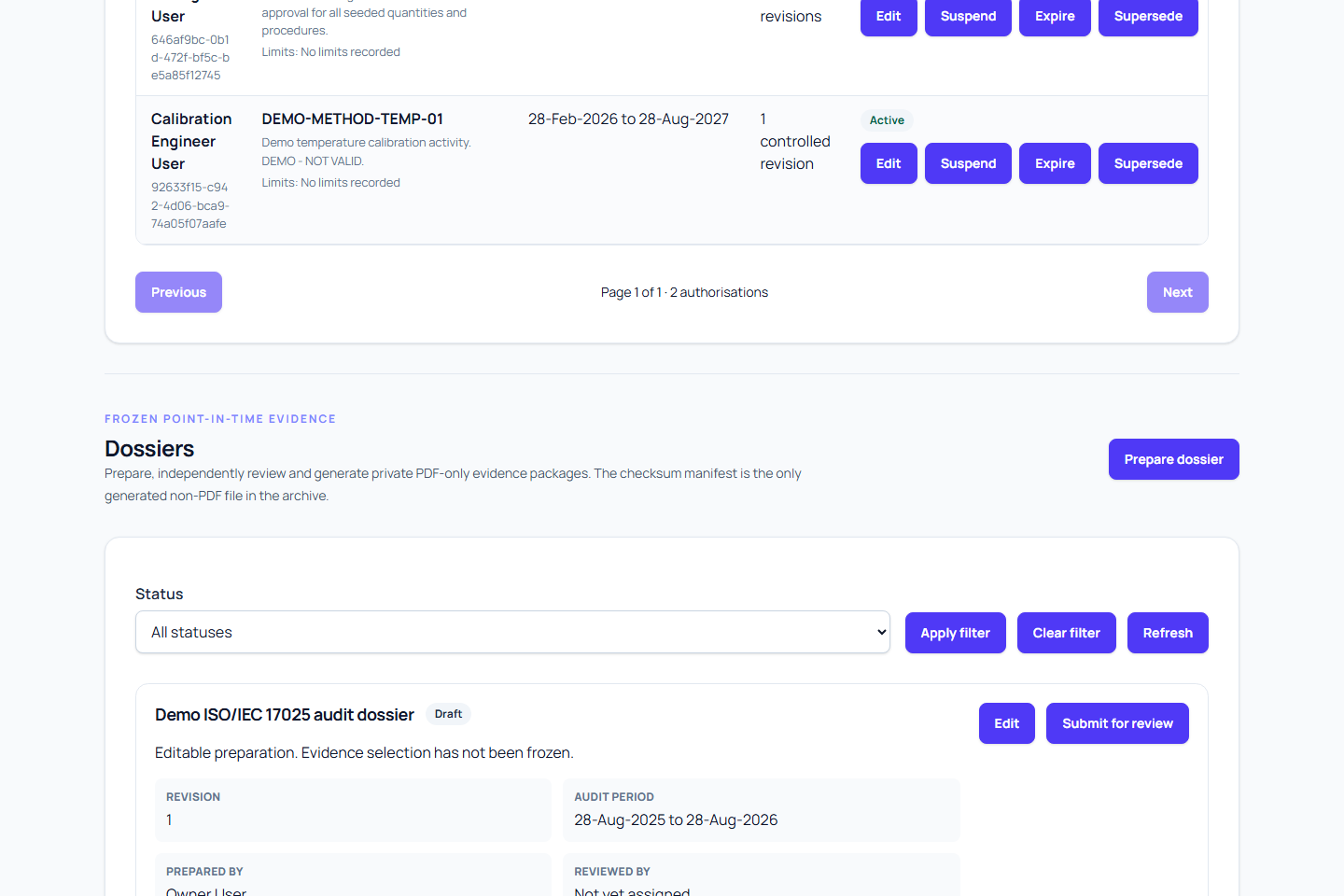
A dossier begins as an editable draft. Submission resolves and freezes its evidence selection, so complete source-record corrections and scope checks before submitting it for independent review.
If preparation, validation, submission, or review is blocked, see Troubleshoot ISO 17025 dossiers.
Prerequisites
- Save an audit profile in the Readiness section.
- Review evidence applicability, controlled documents, personnel authorisations, and readiness gaps.
- Confirm the required client-backed or internal sites and equipment deployment history.
- Arrange for a different authorised person to review the dossier.
- Have permission to prepare dossiers.
Create the draft
- Open the ISO 17025 audit workspace and go to Dossiers.
- Start a new draft.
- Enter a clear title and scope summary.
- Enter the inclusive Audit period from and Audit period to dates.
- Select at least one organisation-owned site in Included sites. You can include client-backed sites and internal organisation sites.
- Choose an evidence mode.
- Select Save draft.
The profile, title, scope summary, valid period, and at least one organisation-owned site are required. The period end cannot be before its start. A saved draft remains editable only by its preparer.
Every selected site is frozen with the dossier. If a selected site belongs to a client, that client identity is retained with the frozen scope. Internal organisation sites are frozen without client identity.
If preparation fails, the error remains inside the preparation dialog. The first line shows Reference and its record ID; the next line shows Error and the user-facing message. Use the reference when requesting support, or correct the indicated fields and try again without leaving the dialog.
Choose an evidence mode
The current form provides two choices:
| Choice | Included calibration work |
|---|---|
| Final evidence only | Approved, superseded, and voided calibration events. This is the default. |
| Include all work | The broadest set, including draft and rejected events. Generated documents identify non-final states. |
Use Final evidence only for a focused final-evidence package. Use Include all work when the audit purpose requires visibility of incomplete, unsuccessful, rejected, or otherwise non-final work.
A broader evidence mode does not make non-final work approved. It exposes the recorded status for traceability and may require explanation.
Validate the draft
Before submission:
- Open the draft and review its title, scope summary, period, and selected sites.
- Confirm the historical equipment population for the whole inclusive period.
- Review readiness gaps and document why any unresolved item is acceptable for the intended package.
- Check controlled evidence approval, review, and expiry states.
- Confirm certificates, approved procedure execution, frozen measurement evidence, applicable uncertainty evidence, and out-of-tolerance records are complete.
- Confirm applicable historical equipment evidence packs completed their required verification route.
- Check the selected evidence mode matches the intended audit purpose.
Draft validation prevents missing required fields and invalid site ownership, but it does not certify completeness, conformity, or accreditation.
Freeze and submit
- On the draft, select Submit for review.
- Read the confirmation carefully.
- Select Freeze and submit.
- Confirm the dossier status becomes
ready_for_review.
Submission records a snapshot time and freezes the selected sites, deployments, business references, controlled evidence, procedure and execution identifiers and hashes, measurement identifiers and hashes, canonical uncertainty evidence, certificates, verified historical pack manifests and matched deployment windows, checksums, and other selected records. Later changes do not alter the selection.
Expected result
The dossier is no longer editable and is awaiting a different authorised reviewer. Its status is ready_for_review, and the exact selection under review is retained as a point-in-time revision.
Warnings and corrections
- The preparer cannot approve their own dossier.
- There is no edit or rejection-to-draft transition after submission.
- If the frozen scope or evidence is wrong, do not approve it. Correct the source records and create a new dossier revision.
- Concurrent edits can produce a conflict. Refresh the dossier list and review the latest version before trying again.
- Submission does not claim conformity or accreditation.
Next steps
- Select dossier scope
- Review and approve a dossier
- Manage the controlled evidence library
- Import historical equipment evidence
- Record personnel technical authorisations
- Review measurement evidence
Check traceability before freezing
Review reference-standard chain summaries before submission. Incomplete, compromised, overridden, and unassessed chains remain visible in the frozen selection and generated findings rather than being silently omitted.
Check uncertainty before freezing
For calculated-required work, verify every applicable as-found and as-left point is complete and every blocking finding is corrected. Review warning acknowledgements and withdrawals. For externally reported work, verify the structured expanded uncertainty and coverage factor against the certificate. See Review uncertainty calculation evidence.