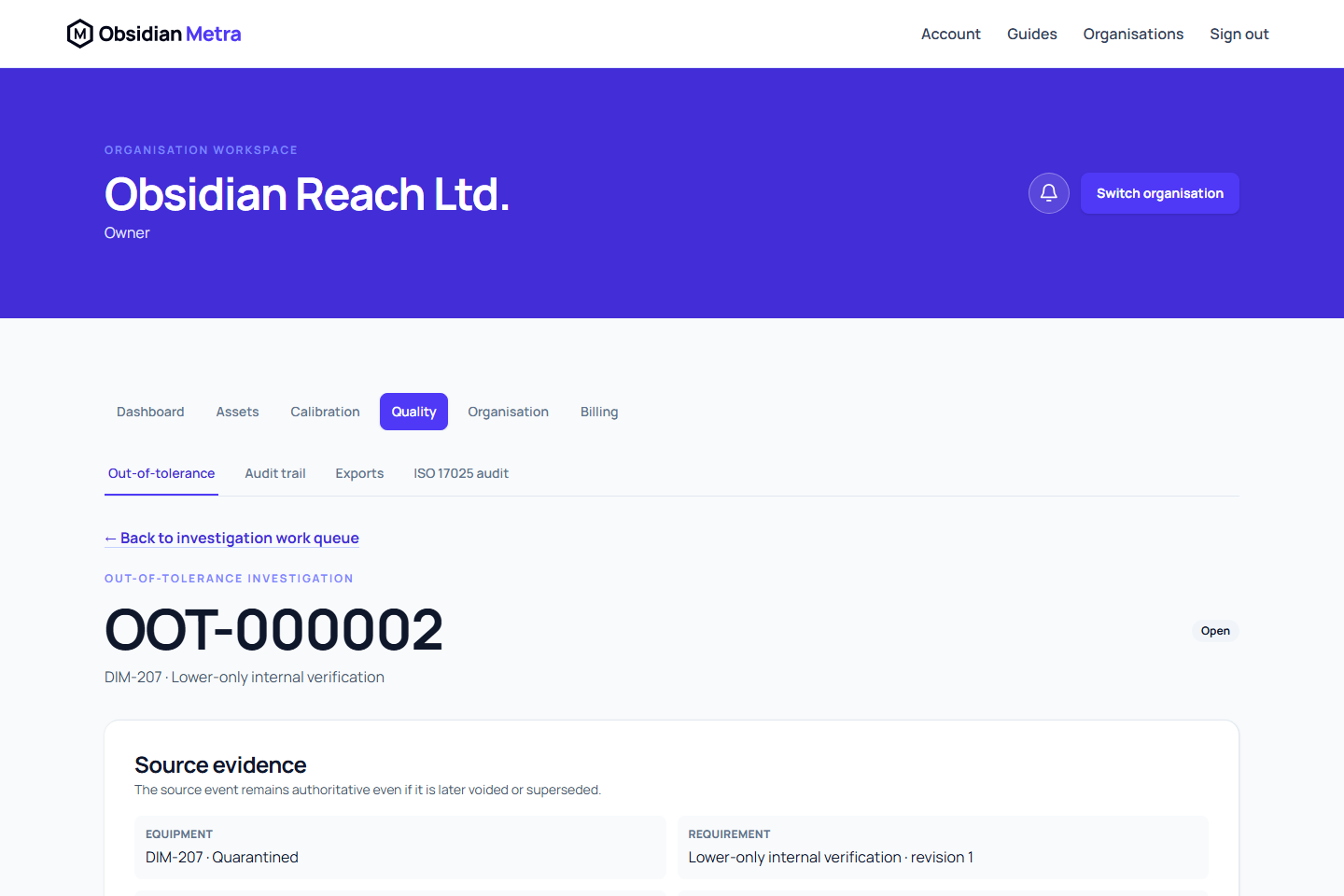
Obsidian Metra automatically opens an out-of-tolerance case when a failed or indeterminate calibration event is independently approved. A failed as-found measurement also triggers a case when adjustment produces a passing as-left result and the event is approved as passed with limitations. The case preserves the source event, frozen measurement revision, failed-point links, and certificate snapshots while the organisation assesses impact, controls corrective action, and decides the equipment's disposition.
For the exact states and legal transitions, see Out-of-tolerance status reference.
Prerequisites
- The source calibration event has an approved failed or indeterminate result, or approved frozen evidence contains a failed as-found point.
- The equipment and source evidence belong to the selected organisation.
- An authorised member is available to investigate the case.
- A different authorised quality user is available for final review.
- Users who create, assign, complete, cancel, submit, approve, or close controlled records have the corresponding effective permissions.
Contain and investigate the issue
Failed and indeterminate results are visibly unacceptable as soon as you select them. Saving unacceptable results or measurement evidence creates a provisional stop-use concern for equipment of any criticality. Operational equipment is quarantined; equipment that has never been released remains a draft and cannot be released while the concern is open. Quality notifications follow the existing notification settings. Repeated saves do not duplicate the same concern; correcting a reading does not release the equipment or erase its failed history. Unsaved selections do not apply a hold. Final independent approval retains the unacceptable evidence and opens its out-of-tolerance investigation; it does not advance the due date.
Open Calibration concerns and stop use on the equipment detail or measurement workspace to review provisional concerns. Permitted engineers can use Record stop-use concern with a reason when an issue is observed outside a saved result. Review concern appears only when the server confirms independent quality-review eligibility. Record the disposition and review reason. A review, including Eligible for separate return-to-service review, never releases equipment or approves calibration work. Resolve open concerns and investigations, then follow the separate independent equipment-release controls.
New automatic cases show an Unassigned escalation until quality assigns an investigator. Quality must deliberately assess severity and set a review deadline; these are not inferred from criticality. Triage remains incomplete until all three are recorded.
Review the Affected-work lookback from the last acceptable approved evidence for the same requirement through the later of the unacceptable work date and the investigation opening date. The window includes that whole day conservatively to identify intervening work. Follow the evidence link, document affected work identifiers and dates in the impact assessment, and connect the outcome to disposition and corrective actions. The suggested period is a starting point for investigation, not proof that other work is unaffected. Missing acceptable history means quality must establish the period using available external or legacy evidence; retained usage candidates through the window end are still shown, and missing history never means no impact.
For equipment used as a reference standard, the lookback links recorded calibration uses to the affected equipment and events. The first 100 uses are shown with the total and an explicit warning when more remain. No recorded use does not prove no impact: review external and legacy work as well.
- Open Out-of-tolerance from the Quality area and select the case.
- Review the source equipment, requirement snapshot, calibration result, performed date, frozen failed measurement points, event, and submitted certificate.
- Assign an investigator.
- Record the severity and investigation summary.
- Document the immediate containment action.
- Assess the impact on prior measurements, products, processes, clients, and affected time periods as applicable.
- Record the root cause.
- Select the proposed disposition: eligible for return to service, remain quarantined, retire equipment, or no further action.
- Write a closure summary that connects the evidence, findings, actions, and proposed disposition.
- Save the investigation.
If the equipment may return to service, cite a later approved acceptable calibration or document the quality rationale in the closure evidence.
Manage corrective actions
- Select Add corrective action for each action needed to address the cause or impact.
- Give each action a clear description, owner, and due date where applicable.
- Assign the action to an eligible member.
- Record completion evidence when the action is finished.
- Complete the action, or cancel it with a reason when it is no longer required.
Completed actions are retained and cannot be edited or reopened. Every non-cancelled corrective action must be complete before the case can be submitted for quality approval.
Submit for independent quality review
- Confirm all required investigation fields are complete.
- Confirm every non-cancelled corrective action is complete.
- Select Submit for quality approval.
- Have a different authorised quality user review the frozen investigation and source evidence.
- The reviewer selects Approve and close or Reject for revision.
Rejection requires comments and returns the investigation for correction and resubmission. Cancellation requires a reason and retains the case history.
The investigator, case submitter, and performer of the failed or indeterminate calibration cannot approve the case. Separation of duties is enforced even when one of those users is an owner.
Restore equipment separately
Closing the investigation resolves the case only. It never restores the equipment automatically.
If the approved disposition permits return to service:
- Confirm that every active out-of-tolerance case for the equipment is resolved.
- Open the equipment record from the closed case.
- Use the separate equipment restoration action.
- Enter the required restoration reason and confirm the action.
The equipment service performs its own eligibility checks and blocks restoration while another active case exists. A closed case may therefore coexist with quarantined equipment until an authorised user deliberately restores it.
Release requires equipment status and out-of-tolerance approve and close permissionss, a reason and a reviewer independent of the containment and investigation contributors. High or critical equipment additionally needs at least one applicable requirement, every draft, active or suspended requirement to be active, and current approved acceptable evidence covering the current requirement revision. Both its evidence-derived due date and requirement due date must be later than the site's current date. Registration, a future initial due date, case closure or a location change never proves release eligibility.
Expected result
The investigation is closed with a complete, fixed trail of source evidence, investigation revisions, corrective actions, review decisions, and audit events. Equipment remains in its controlled lifecycle state until a separate restoration or retirement decision is completed.
Permission caveats
Viewing a case does not grant permission to investigate, manage actions, submit, approve, close, cancel, or restore equipment. Quality managers and organisation owners normally perform quality review, but separation-of-duties checks can still make approval unavailable. Calibration engineers may complete assigned operational work without receiving quality approval authority.
If an expected action is absent, check the case status, assigned responsibility, incomplete actions, effective permissions, and independence requirements.
Next steps
- Record calibration work
- Review measurement evidence
- Upload or replace a calibration certificate
- Equipment and rotation
- ISO 17025 dossiers
Reference-standard suitability
When the affected equipment is a reference standard, an as-found failure prohibits its use until the investigation disposition explicitly restores suitability. Passing as-left measurements do not restore suitability by themselves. Historical calibration usage remains frozen, and later restoration does not erase the original finding.